 Baton Note
A second brain that shows how your ideas connect
Write things down as they come. Baton Note links notes that share ideas and draws them as a Thought Graph, so old notes keep being useful.
Free to start · Nothing to install · Windows, Mac, Linux, Chromebook
How it works
- Write notes, record voice memos and drop in files as you work.
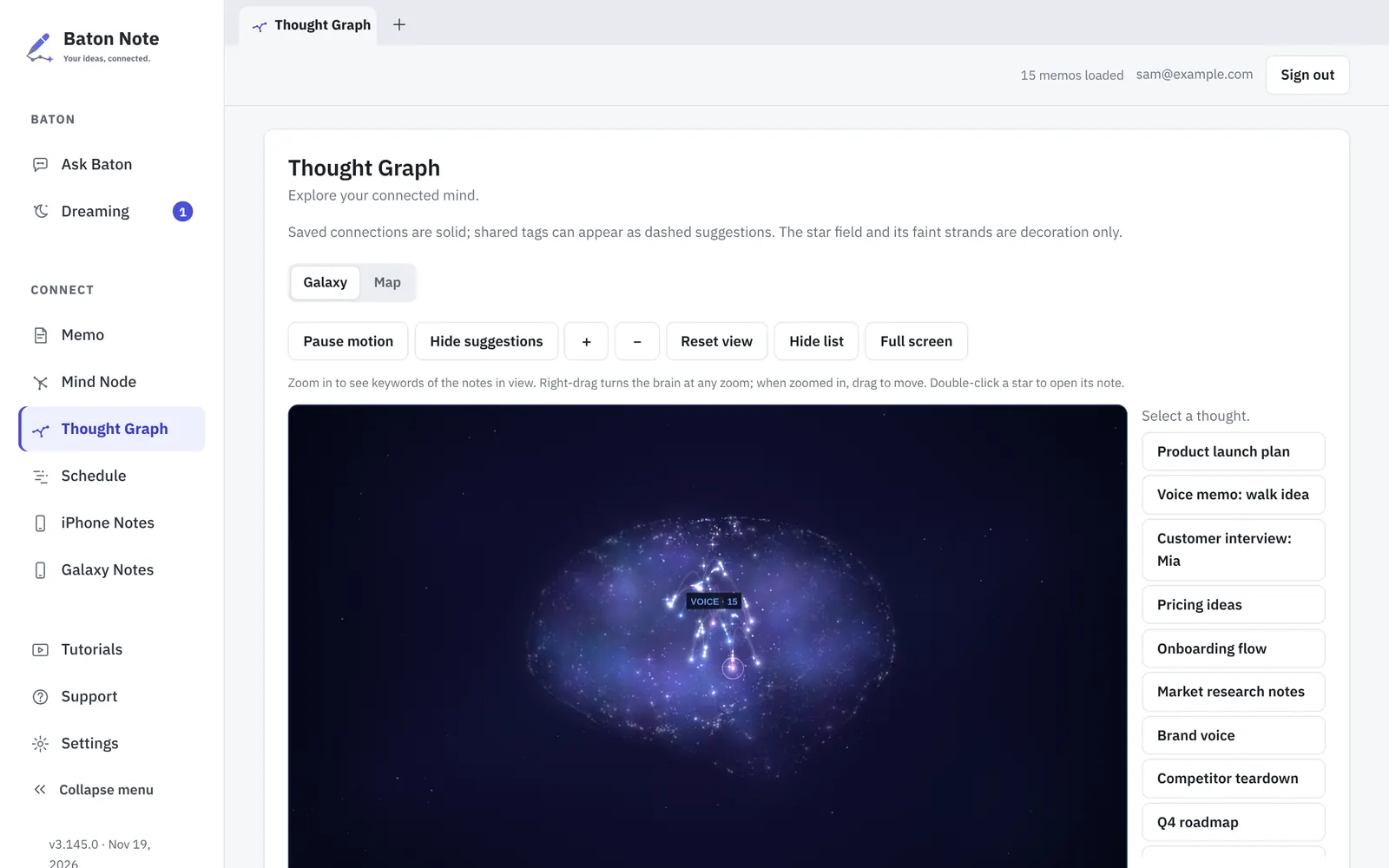
- Open the Thought Graph to see notes as stars, linked by the ideas they share.
- Check Dreaming for suggested links, duplicates and notes worth a second look.
- Accept the suggestions that are right. Nothing changes until you say so.
Why people use it
See the shape of what you know
The Thought Graph shows every note as a star. Notes that share a person, a project or an idea are joined, and each link tells you why it is there.
Suggestions made on your device
Basic Dreaming looks for connections, missing to-dos and duplicates on your own device, with a quote from the note as the reason. It asks before it links or saves anything.
Your files, not our database
Notes are files in a folder on your computer, or in your own Google Drive with Premium. If you stop using Baton Note, the notes are still there.
You decide what AI can read
New notes are Private. Mark a note Open and the AI apps you connect, such as Claude and ChatGPT, can read it. A read log shows what was read and when.
Questions
What is a second brain app?
A place outside your head for notes, ideas and plans, set up so you can find and connect them later. Baton Note does this with linked notes, a graph, mind maps and project boards.
Do I have to link notes by hand?
No. Links are suggested from what the notes say. You can also link two notes yourself at any time.
Can I move my notes out later?
Yes. They are files on your own computer or in your own Google Drive, so you can open or copy them without Baton Note.
Which AI apps can read my notes?
Only the ones you connect yourself, and only notes you marked Open. Private notes are never sent to a connected AI app.
More about plans on the Pricing page, and about your data in the Privacy Policy.
More in Baton Note
Voice memo to text
Press record, talk, and press Script. Baton Note writes out what you said and puts the text in the same note as the recording.
Read moreMind maps
Mind Node is a wide canvas inside Baton Note. Lay an idea out as cards and lines, then keep the board next to the notes it came from.
Read moreKanban project planner
Schedule is the planning side of Baton Note. Move projects across a Kanban board, see them on a timeline, and open the notes behind each one.
Read moreTry it in your browser
Sign in with Google, Apple or email. It takes a minute, and there is nothing to install.