 Baton Note
Plan projects next to the notes they came from
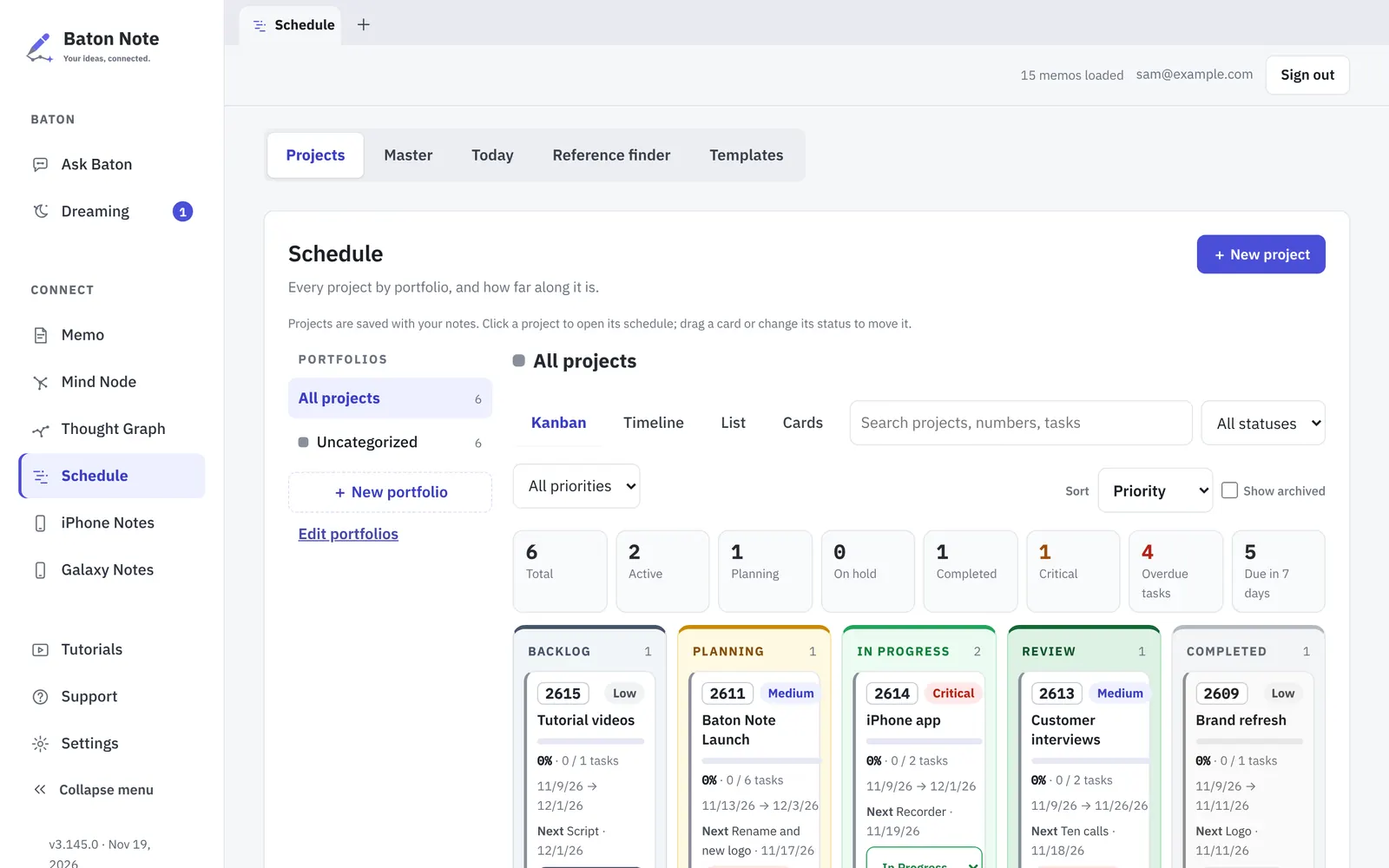
Schedule is the planning side of Baton Note. Move projects across a Kanban board, see them on a timeline, and open the notes behind each one.
Free to start · Nothing to install · Windows, Mac, Linux, Chromebook
How it works
- Open Schedule and add a project, or start from a template.
- Add to-dos with due dates, and split big work into sub-projects.
- Switch between Kanban, Timeline, List and Cards to see the same work another way.
- Use Focus mode to work through one project, with a short memo on any row.
Why people use it
Four views of the same work
Kanban shows the stage of each project, Timeline shows when, List is for sorting and Cards is for a quick look. Switching views never changes the data.
Projects, sub-projects and portfolios
Group projects into portfolios and nest sub-projects as deep as you need. A Task Board shows the to-dos of a project by stage.
Late work is hard to miss
Overdue to-dos are flagged, so the thing that slipped last week is the first thing you see this week.
Plans and notes in one place
A project keeps its own notes, and Dreaming can turn something it found in a note into a to-do. Print a schedule or save it as a PDF when someone needs a copy.
Questions
Is the project planner free?
Yes. Schedule is part of the Free plan, with no limit on projects.
Is it a Gantt chart?
The Timeline view shows projects and to-dos against dates, like a simple Gantt chart.
Can I share a project with my team?
Not yet. Baton Note is built for one person today. Sharing a schedule is planned but not available.
Does it work on a phone?
Yes. The same projects open in the phone browser and in the iPhone app.
More about plans on the Pricing page, and about your data in the Privacy Policy.
More in Baton Note
Voice memo to text
Press record, talk, and press Script. Baton Note writes out what you said and puts the text in the same note as the recording.
Read moreMind maps
Mind Node is a wide canvas inside Baton Note. Lay an idea out as cards and lines, then keep the board next to the notes it came from.
Read moreSecond brain
Write things down as they come. Baton Note links notes that share ideas and draws them as a Thought Graph, so old notes keep being useful.
Read moreTry it in your browser
Sign in with Google, Apple or email. It takes a minute, and there is nothing to install.