 Baton Note
Your second brain, right in your browser
Baton Note is a note-taking workspace on the web. Write notes, turn voice memos into text, map your ideas and plan your projects, all saved in your own Google Drive.
Free · Nothing to install · Windows, Mac, Linux, Chromebook · iPhone app too
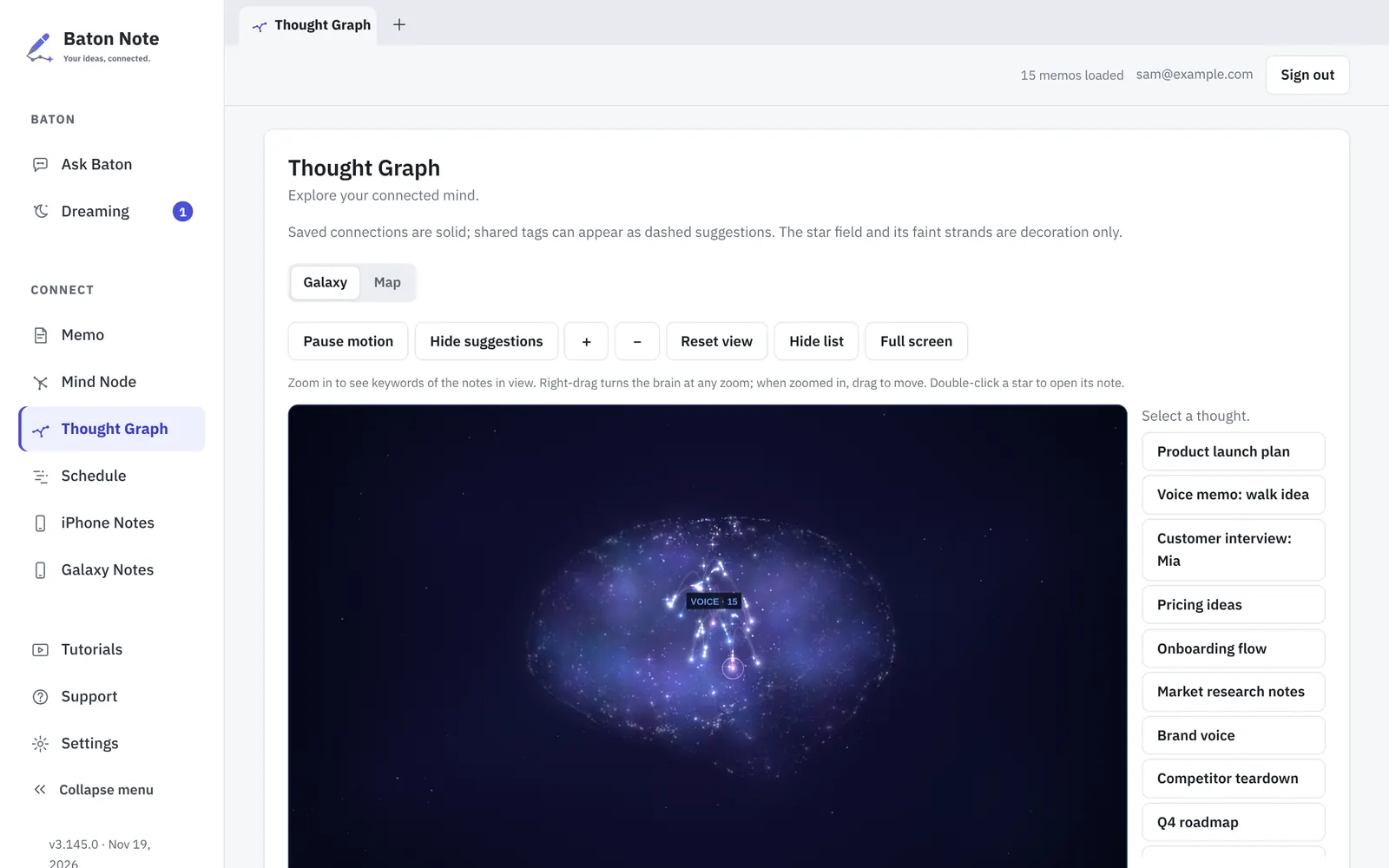
One workspace for everything you think of
Open a tab and get to work. Notes, mind maps and project plans sit side by side on a full-size screen, and they are linked to each other.
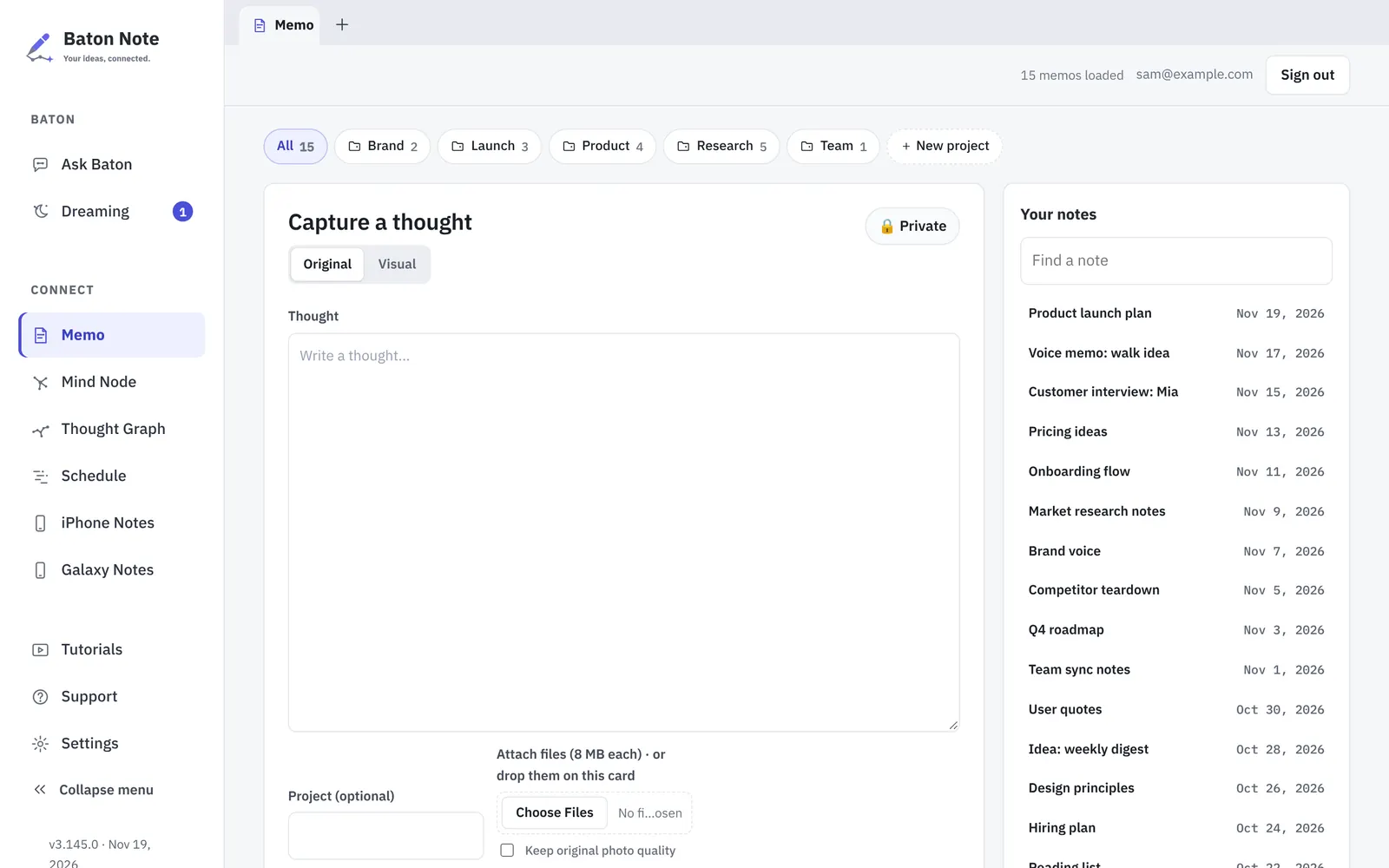
Write it, say it, drop it in
A big writing space with your whole library beside it.
- Record a voice memo and turn it into text with one click
- Paste or drag in pictures, PDFs and files
- Sort notes into projects and find any of them in a second
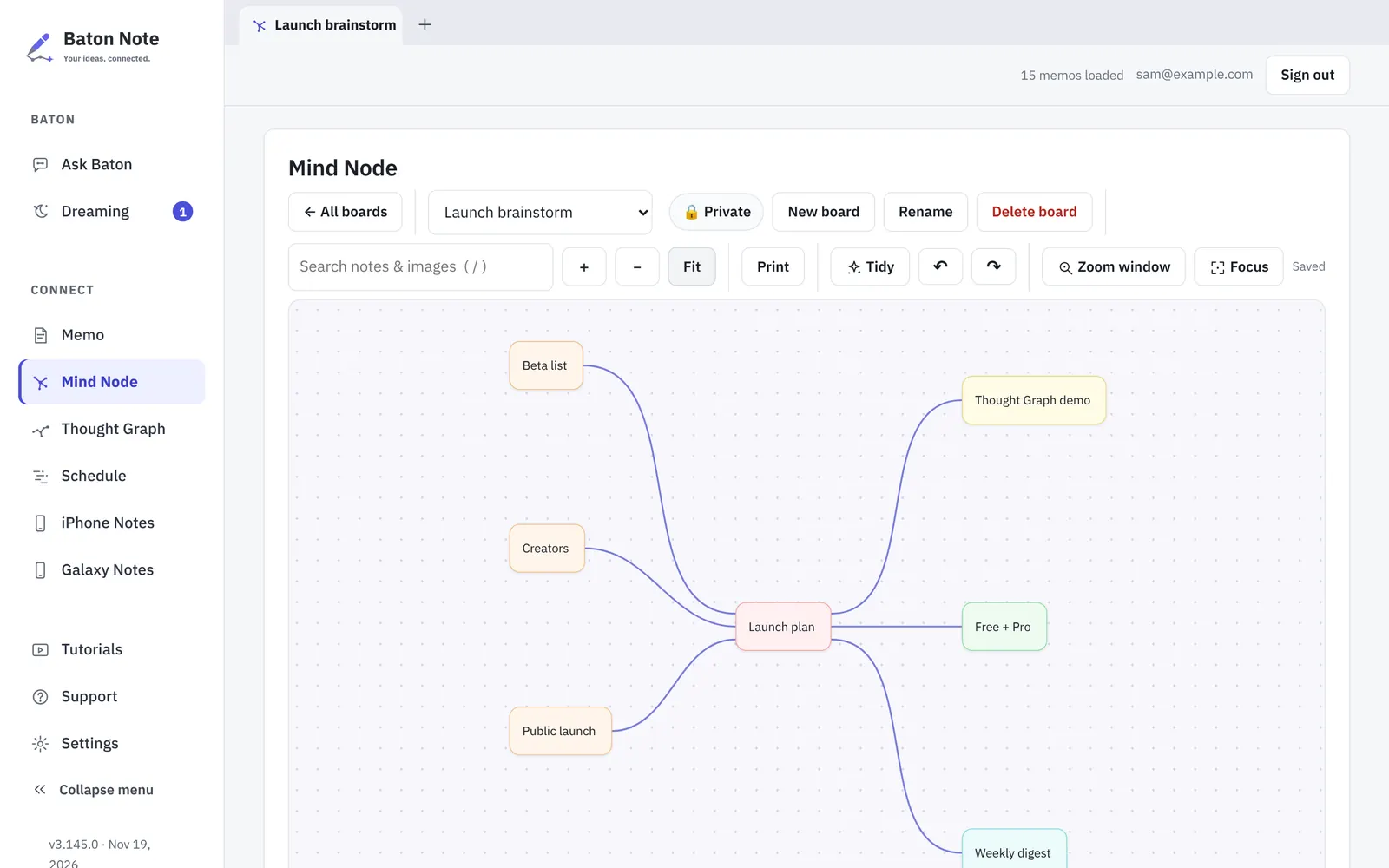
Mind maps on a wide canvas
Lay out a plan with cards and lines. Start from a note, or save a board back as a note.
- Drag, connect and tidy with the mouse or the keyboard
- Print a board or keep it for later
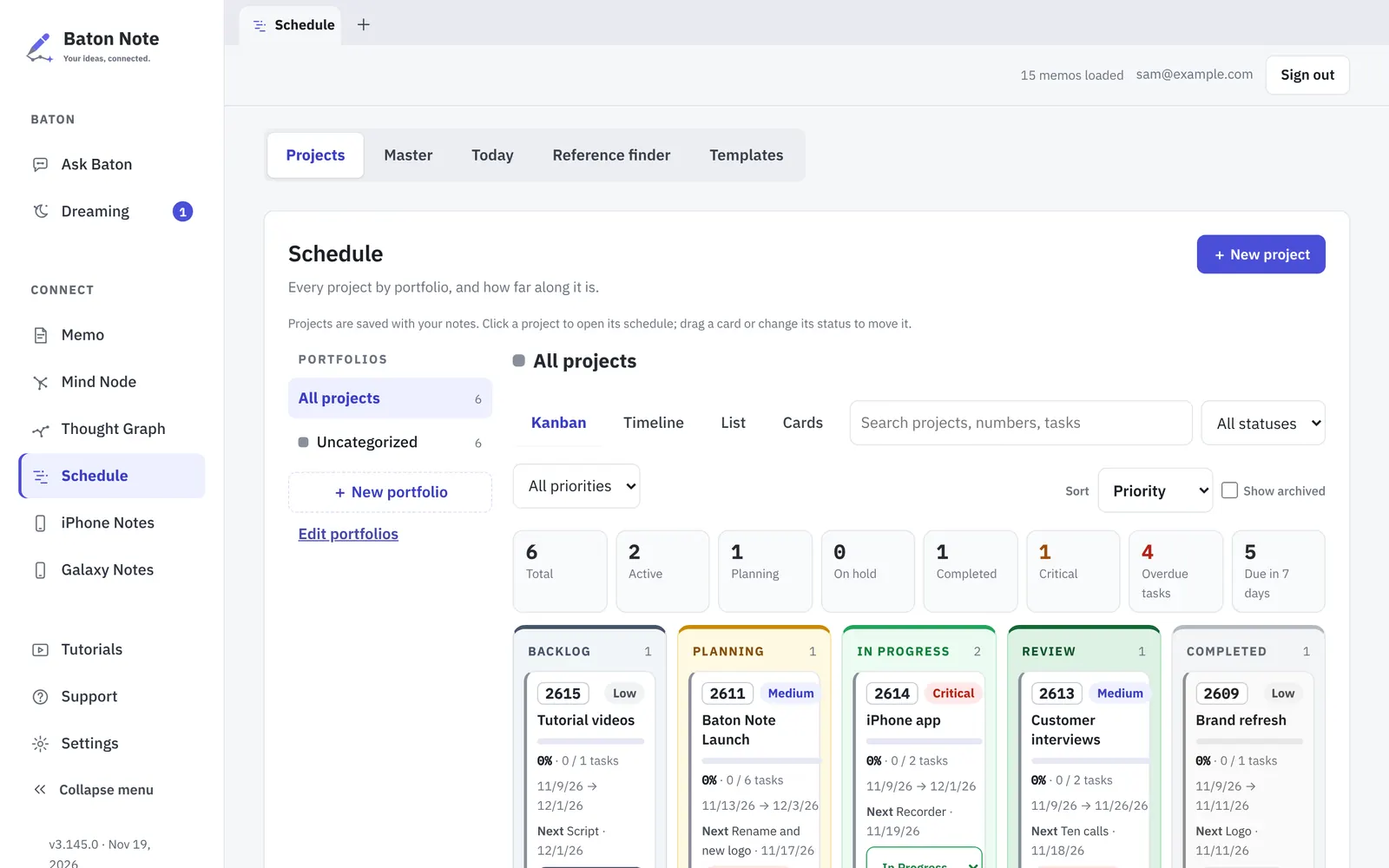
Projects on a Kanban board
Plan your work next to the notes it came from.
- Kanban, timeline, list and cards views
- To-dos, due dates and a focus mode
- Overdue work is flagged for you
Built to keep your notes yours
Baton Note connects your ideas without taking them away from you.
Your notes, your Drive
Notes are files in a Google Drive folder you choose, or a folder on your computer. No copy on our servers.
See how ideas connect
The Thought Graph shows notes as stars linked by shared ideas. Dreaming suggests links and notes worth a second look. Build a second brain
Works with Claude and ChatGPT
Every note is Private or Open. Only Open notes can be read by AI apps you connect yourself.
Take it with you
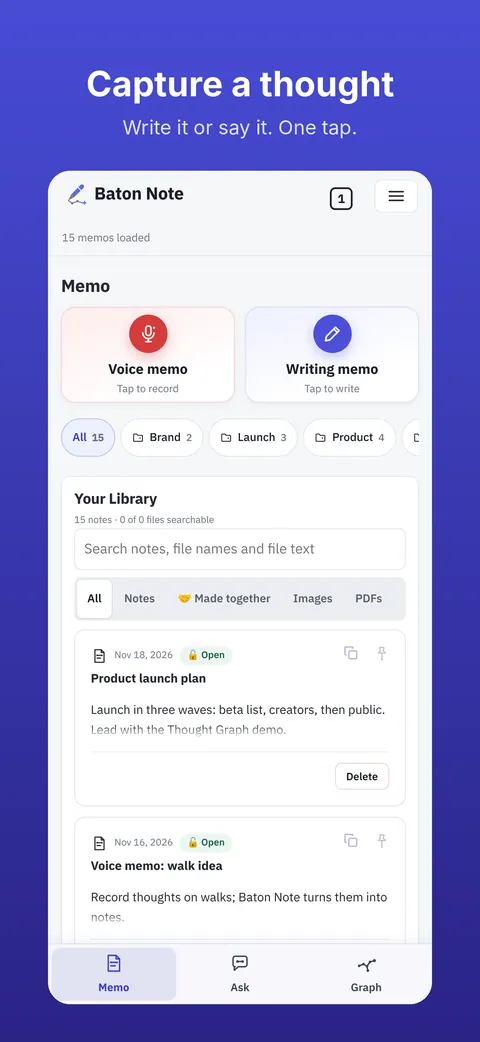
The same notes on your phone. Capture a thought or record a voice memo on the go; in the iPhone app recording keeps going while the screen is locked. It is all there when you are back at your desk.
Questions
Is Baton Note free?
Yes. The Free plan covers notes, mind maps, the Thought Graph and project boards with no limit. Premium adds more voice to text, cloud folders and sync. See Pricing.
Do I need to install anything?
No. Baton Note runs in your web browser on Windows, Mac, Linux or Chromebook. Sign in and start writing. There is also an iPhone app.
Where are my notes stored?
In a Google Drive folder you choose, or a folder on your own computer. Baton Note does not keep a copy of your notes on its servers. See the Privacy Policy.
Can Baton Note turn a voice memo into text?
Yes. Record a voice memo, then tap Script to write it out. The text is added to the same memo.
Does recording keep going when my iPhone is locked?
Yes, in the Baton Note iPhone app. Recording keeps going while the phone is locked or another app is open, until you press Stop.
Start in your browser today
Sign in with Google or email. It takes a minute.